Plans & seats
Masto Control is priced per seat, not per workspace. See mastocontrol.com/pricing for current rates.
How the plan is structured
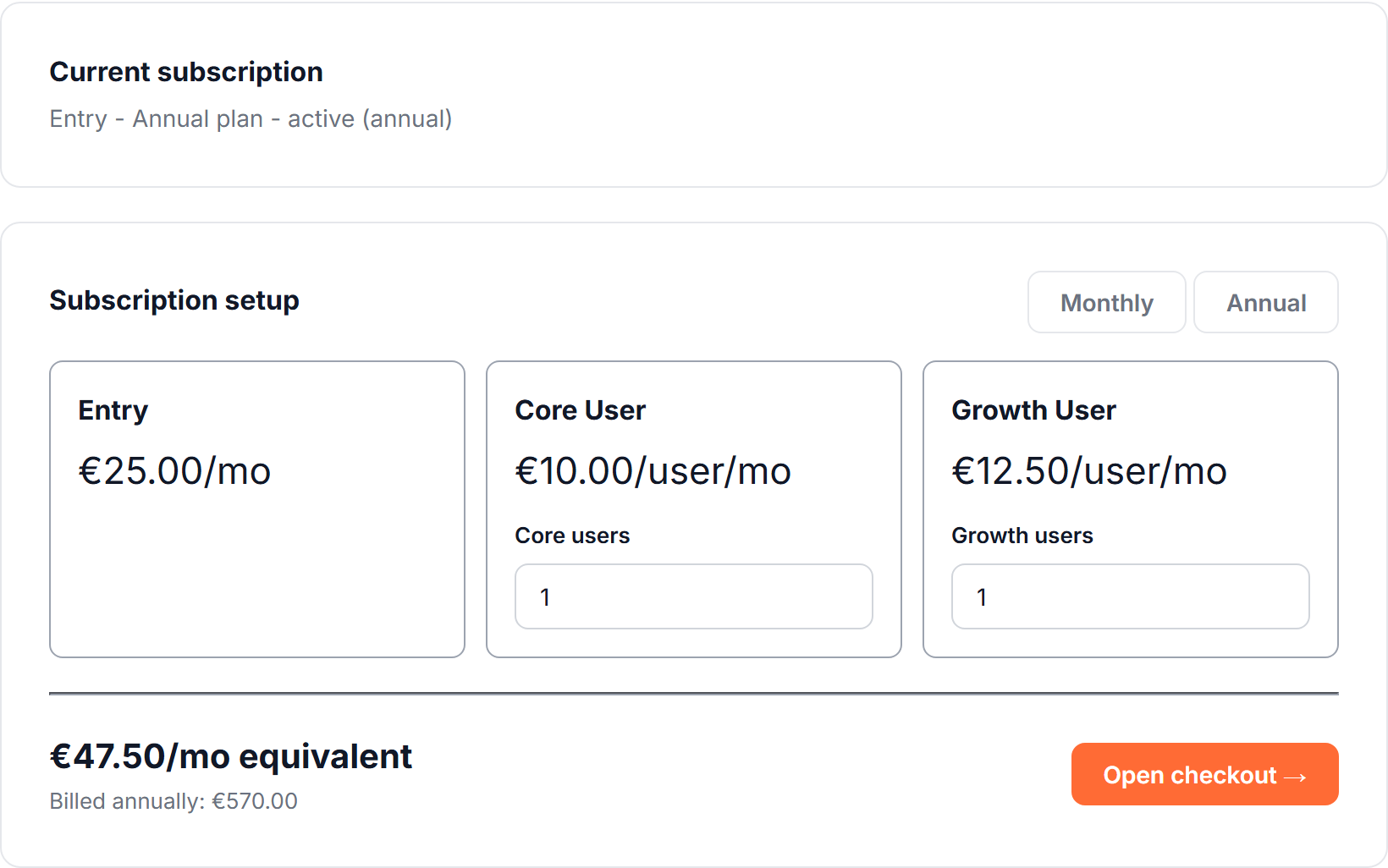
- Entry — the base plan every workspace needs. Includes 1 user.
- Core User seats — additional users who need materials, BOM, inventory, and production access.
- Growth User seats — additional users who also need Sales Channels access.
- Enterprise — custom pricing for larger, multi-site, or higher-complexity setups. Contact us for a quote.
All plans include a 14-day free trial, no card required, and are billed monthly or annually (annual saves roughly 17%).
Receipt scanning is included in every plan, up to 10 scans per workspace per day. Import with AI, for stock lists and for recipes together, is included too, up to 10 per workspace per day. The limits are shared by everyone in the workspace, and the counters start again at midnight UTC. There is nothing extra to pay for either.
Where billing lives
Billing is not inside the app. It is in your account area on the website: sign in at mastocontrol.com/login and you land on your account page, with the current subscription and a seat calculator on it. From there, Continue to Masto Control takes you into the workspace.
Managing your subscription
On that account page:
- Add users opens checkout for additional Core/Growth seats
- Schedule plan change queues a plan change to start after the current paid period ends, rather than charging or refunding mid-period
- Cancel at period end stops renewal but keeps access until the current period's end date
- A scheduled change can be removed before it takes effect
If a payment fails, you will see a past-due notice on that account page — update your payment method or contact support before access is interrupted.
What happens if your subscription lapses
A failed payment doesn't cut off access immediately — there's a 2-week grace period ("past due") to fix it before anything is blocked. Along the way you'll get a Masto-branded email for each stage: trial ending, payment failed, and access frozen.
If the grace period runs out (or your trial ends unpaid, or the subscription is cancelled), the workspace is frozen: every page shows a banner explaining what happened, with a link straight to your account page, and the underlying data stays intact — nothing is deleted. Fixing payment or reactivating the plan there restores access immediately.