Masto Control now works properly on your phone
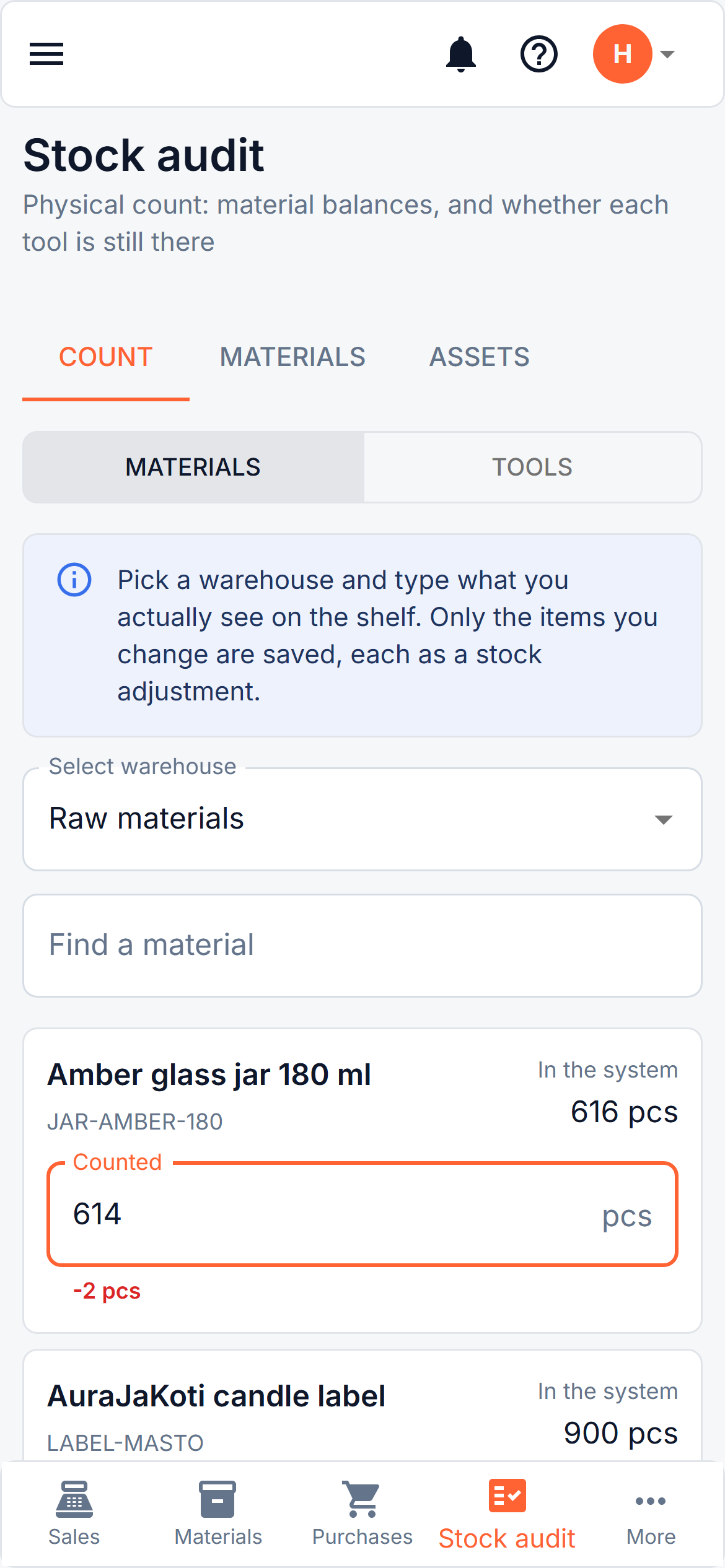
Open Masto Control on your phone and the screen is now built for it: a bar of buttons along the bottom (Sales, Materials, Purchases, Stock audit and More), lists shown as cards instead of tables you have to scroll sideways, and forms that fill the screen.
Two jobs are made for standing up. Take a photo opens the camera to scan a receipt at the till. And the new Count tab in Stock audit lets you walk along a shelf, type what you actually see, and save only the materials that differ, each as a normal stock adjustment. Tools can be counted the same way, found or missing.
You can add it to your home screen from the browser menu, so it opens full screen like an app. It needs a connection and there is no store app. Included in every plan. How it works