
2 posts tagged with "Inventory"

Materials and stock.

View All Tags

Masto Control now works properly on your phone

Open Masto Control on your phone and the screen is now built for it: a bar of buttons along the bottom (Sales, Materials, Purchases, Stock audit and More), lists shown as cards instead of tables you have to scroll sideways, and forms that fill the screen.

Two jobs are made for standing up. Take a photo opens the camera to scan a receipt at the till. And the new Count tab in Stock audit lets you walk along a shelf, type what you actually see, and save only the materials that differ, each as a normal stock adjustment. Tools can be counted the same way, found or missing.
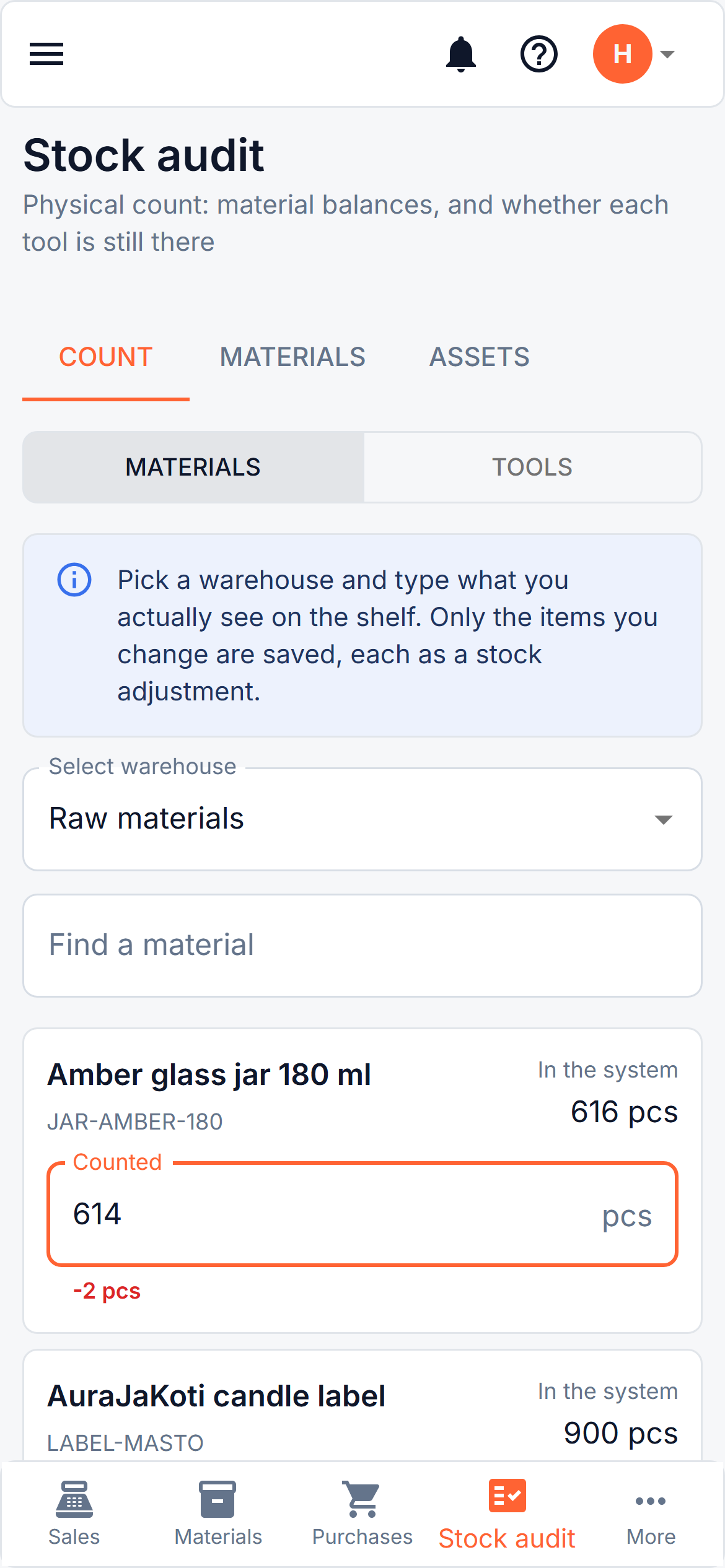
The Count tab on a phone: what the system expects, what you counted, and the difference

You can add it to your home screen from the browser menu, so it opens full screen like an app. It needs a connection and there is no store app. Included in every plan. How it works
Bring your stock list in any shape

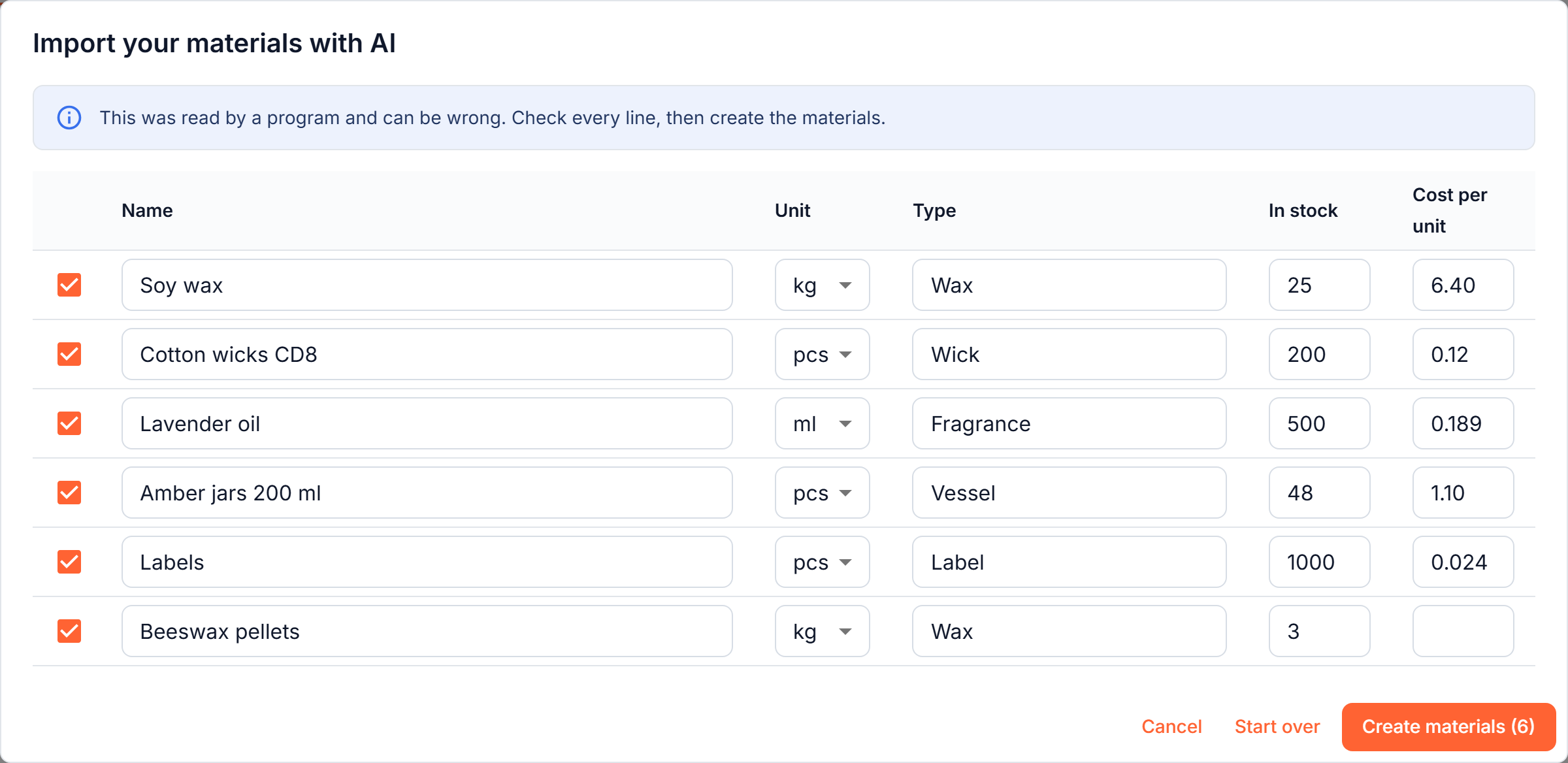
Starting out no longer means retyping what you already have. On the Materials page, Import with AI reads your list as it is: a spreadsheet laid out your own way, text pasted from your notes, or a photo or PDF of a page.

It proposes your materials with units, types, how much you have and what one unit costs. A pack price becomes the price of one piece, "500 g" for a material kept in kilograms becomes 0.5, and titles and totals are left out. You check and correct the draft, and only then are the materials created. It never changes a material you already have.

The import dialog: a pasted list read into materials with units, types, stock and prices

Included in every plan. How it works