Using Masto Control on a phone
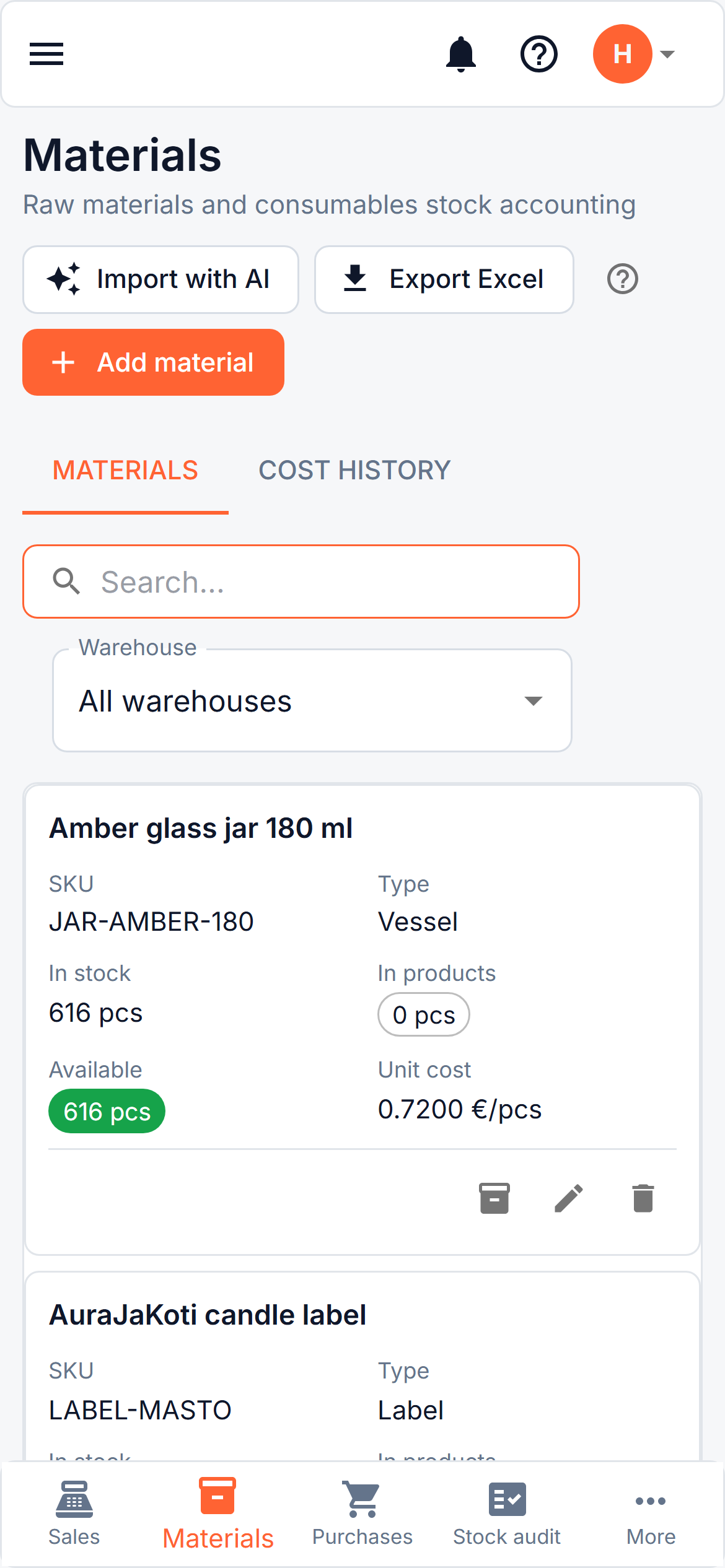
Masto Control works in the browser on your phone, with no app to download. Open it the way you do on a computer. On a narrow screen the layout changes to suit a thumb: a bar of buttons along the bottom, lists as cards, and forms that fill the screen.
The phone is meant for the jobs you do standing up: selling at a fair, photographing a receipt at the till, checking what is on the shelf, counting stock. Editing a product card with a long list of materials is easier on a larger screen.
Add it to your home screen
You can put Masto Control on the home screen so it opens full screen, like an app.
- Android (Chrome): open the menu (the three dots), then Install app or Add to Home screen.
- iPhone (Safari): tap the share button, then Add to Home Screen.
It is the same site, so nothing needs updating and you always see the current version. It needs an internet connection: it does not work offline, because stock figures that are hours old would be worse than none.
The bottom bar
Five buttons stay at the bottom of the screen:
| Button | Goes to |
|---|---|
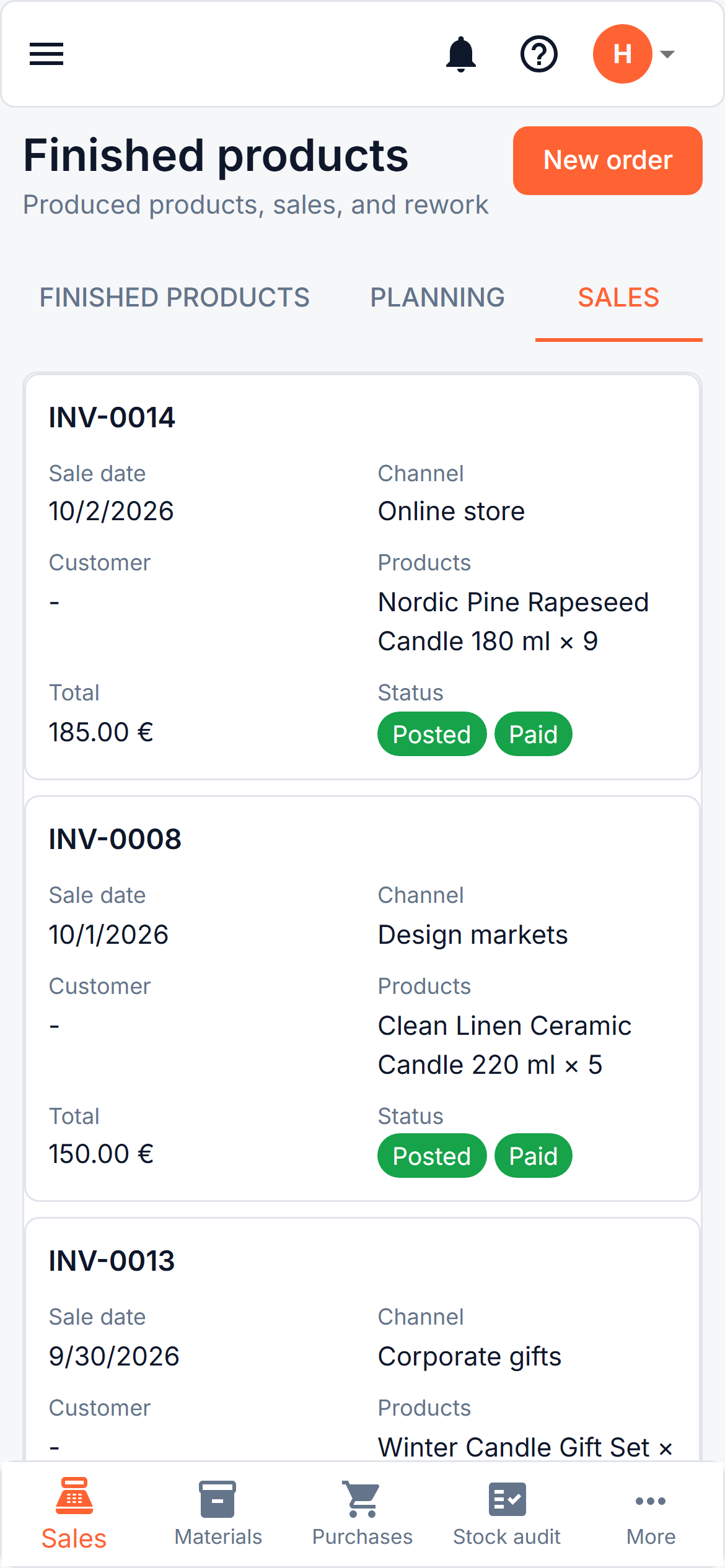
| Sales | Your sales orders, and New order |
| Materials | The materials list |
| Purchases | Buying runs and receipts, where you scan a receipt |
| Stock audit | Counting stock |
| More | The full menu: Overview, tools, product cards, finished products, reports and the rest |
Lists as cards
On a phone a table becomes a stack of cards. Each card shows the name at the top, the main figures underneath, and the buttons for that row at the bottom. A receipt that you can expand in a table expands in the same way on its card.
The column menu, filters, sorting and hiding columns belong to the table on a larger screen (see Working with tables). Use the search box above a list to find a row.
Photograph a receipt
In Purchases, open a buying run and press Scan a receipt. On a phone there is a Take a photo button that opens the camera straight away, next to Choose photo or PDF for a picture you already have. The photo is made smaller before it is sent, so it uploads quickly on mobile data. From there it is the same as on a computer: see Scanning a receipt.
Count your stock
Stock audit opens on the Count tab on a phone. It is made for walking along a shelf with the phone in your hand.
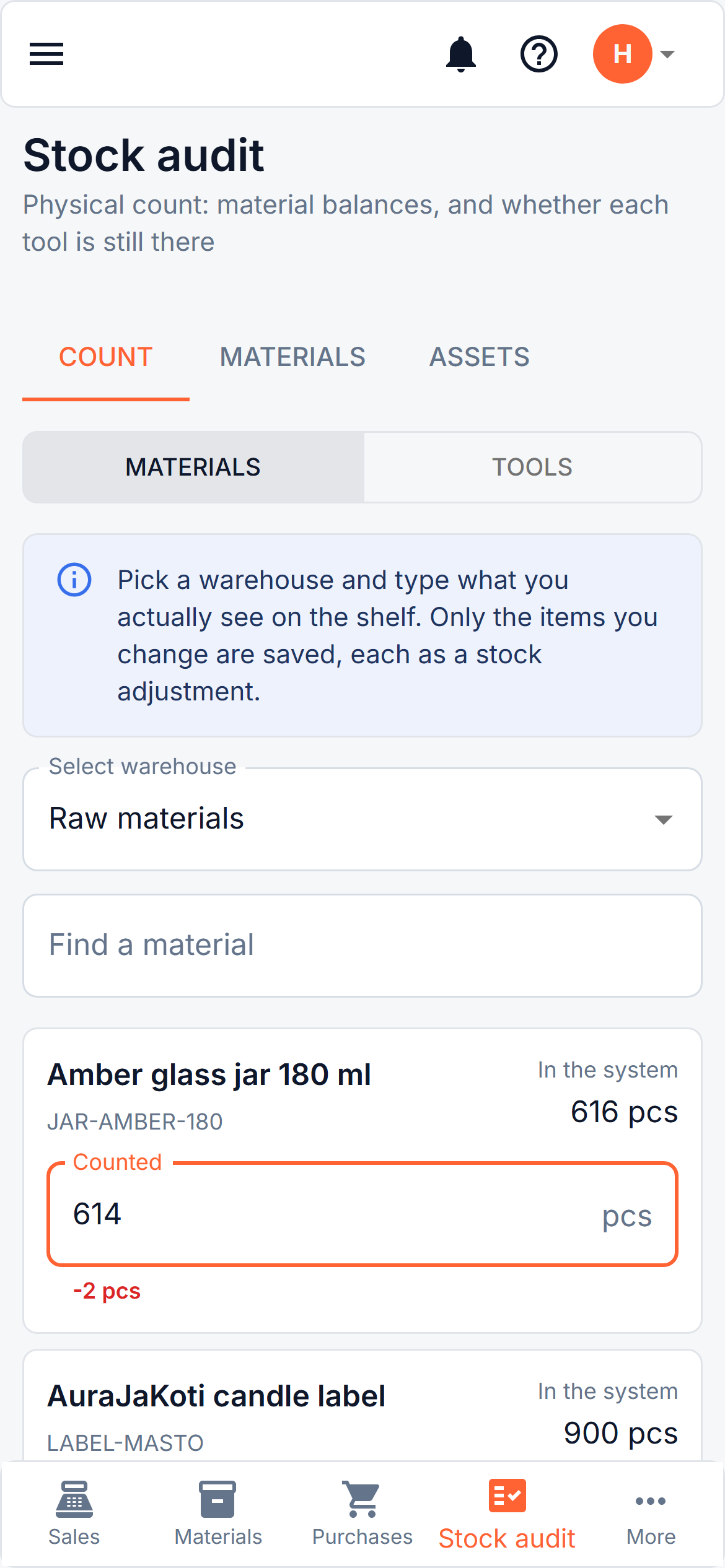
- Choose the warehouse you are standing in. It starts with the one that holds the most materials.
- Under each material you see what the system expects. Type what you actually count in the Counted field. A number with a decimal comma works.
- If your number differs, the difference appears under the field in red or green.
- Press Save count. Only the materials you changed are saved, each as an ordinary stock adjustment, exactly like an Adjustment entered on the Materials tab. You can leave the others alone.
If one of the rows cannot be saved, the message says how many were saved and how many failed, and the failed rows stay filled in so you can try again.
Counting tools
If your role may write off tools, the Count tab has a Tools switch beside Materials. Each tool in use is a card with two buttons, Found and Missing. Pick one for every tool you checked and leave the rest untouched, because only the ones you mark are recorded.
Found tools are saved as a stocktake record. A tool marked Missing is written off as lost, its cost and the depreciation charged so far staying on the record. This cannot be undone by deleting the record afterwards, so before anything is sent you are asked once to confirm the write-off of all the missing tools together. See Tools and equipment.
What is better left for a larger screen
- Building and editing product cards (recipes): the lists of materials and the cost table are wide.
- Reports and their Excel export, and the long tables in Analytics.
- Reviewing a large import from Import with AI.
They open on a phone and can be scrolled sideways, but a larger screen is more comfortable.
Is there a mobile app?
Not as a download from an app store. What you use on the phone is the web app described here. If an app from the store would matter to you, tell us at hello@mastocontrol.com.