Purchases
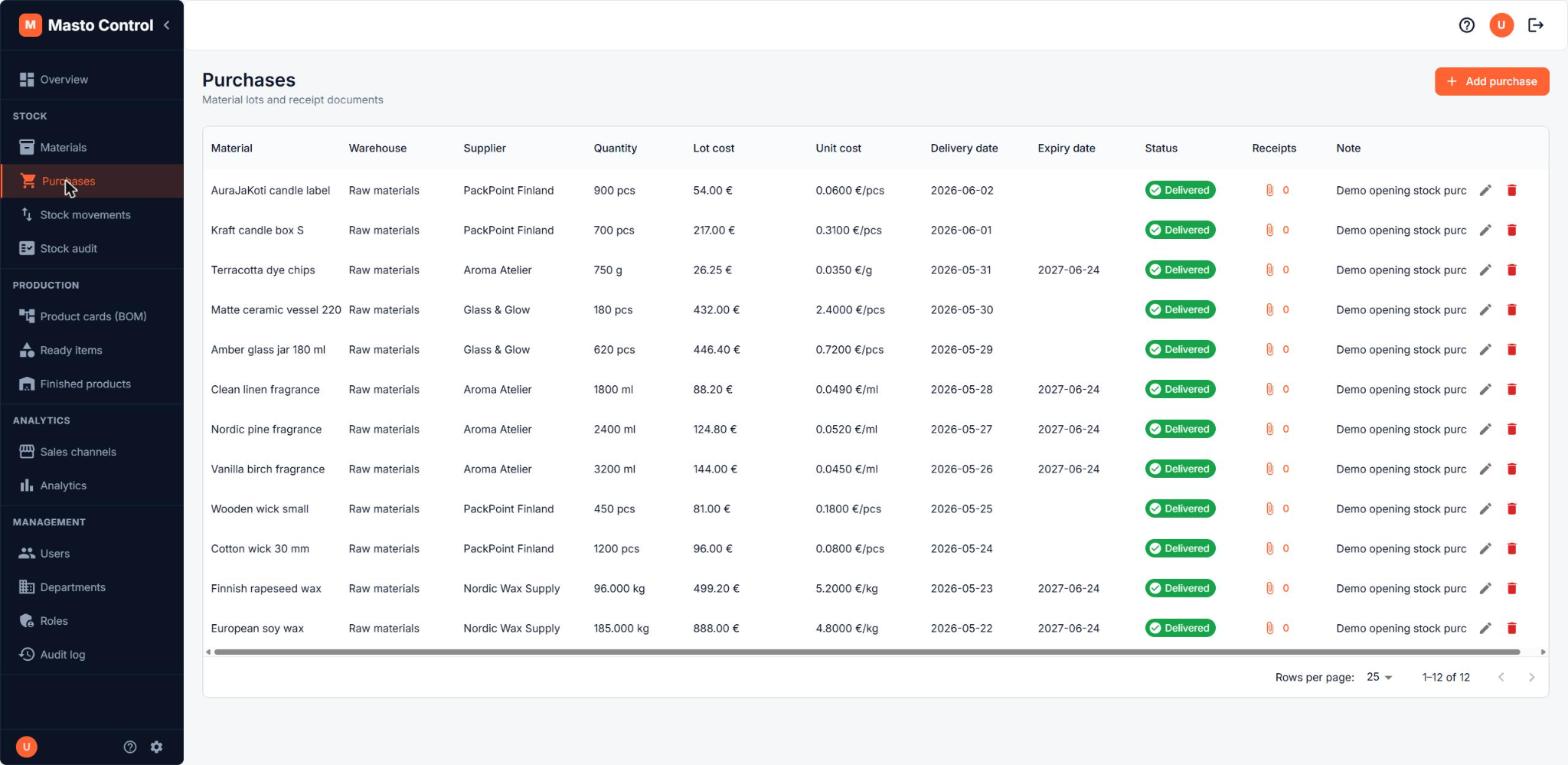
Purchases record material lots coming into your workshop from suppliers. Find them under Purchases.
Purchase lifecycle
A purchase moves through three statuses:
- Draft — being prepared, not yet committed
- Ordered — sent to the supplier, awaiting delivery
- Delivered — stock enters the system only at this point
Stock and the material's lot table are only updated once a purchase is marked Delivered. Deleting a delivered purchase reverses the stock it added.
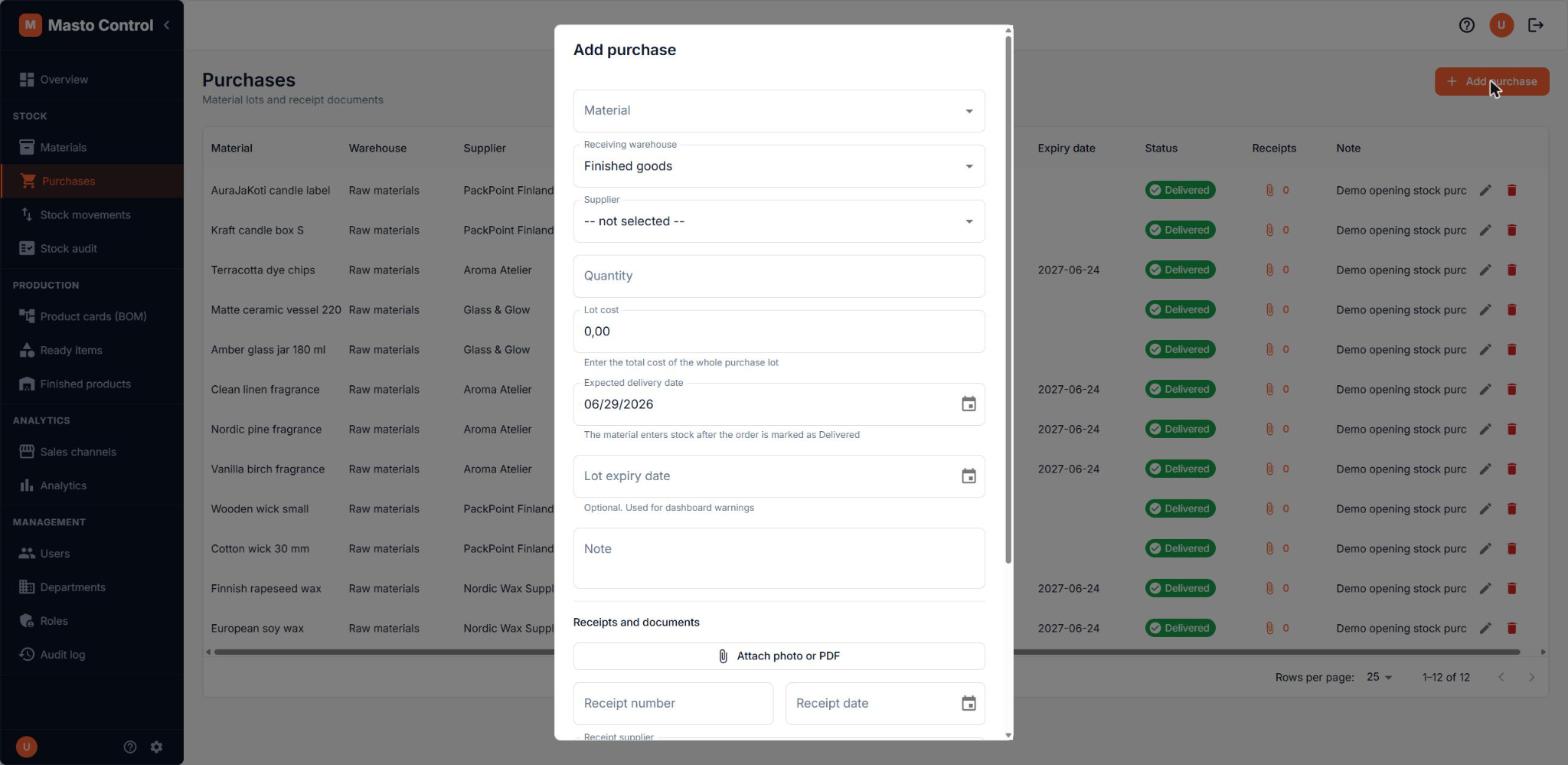
What's on a purchase
- Material and receiving warehouse
- Supplier (from your dictionary of suppliers)
- Quantity and total cost for the whole lot (unit cost is derived from these)
- Expected delivery date and, once delivered, an optional lot expiry date — used for dashboard expiry warnings
- Receipts — attach scanned invoices or delivery notes directly to the purchase, with their own metadata (receipt number, date, supplier, amount, note)
Why this matters for costing
Every delivered purchase creates a new cost lot at the price you paid. Material unit cost is a rolling calculation across lots, and lots are consumed FIFO — see Materials. Getting purchase costs right here is what keeps BOM costing and margins accurate downstream.