Stock movements & inventory audit
Stock movements
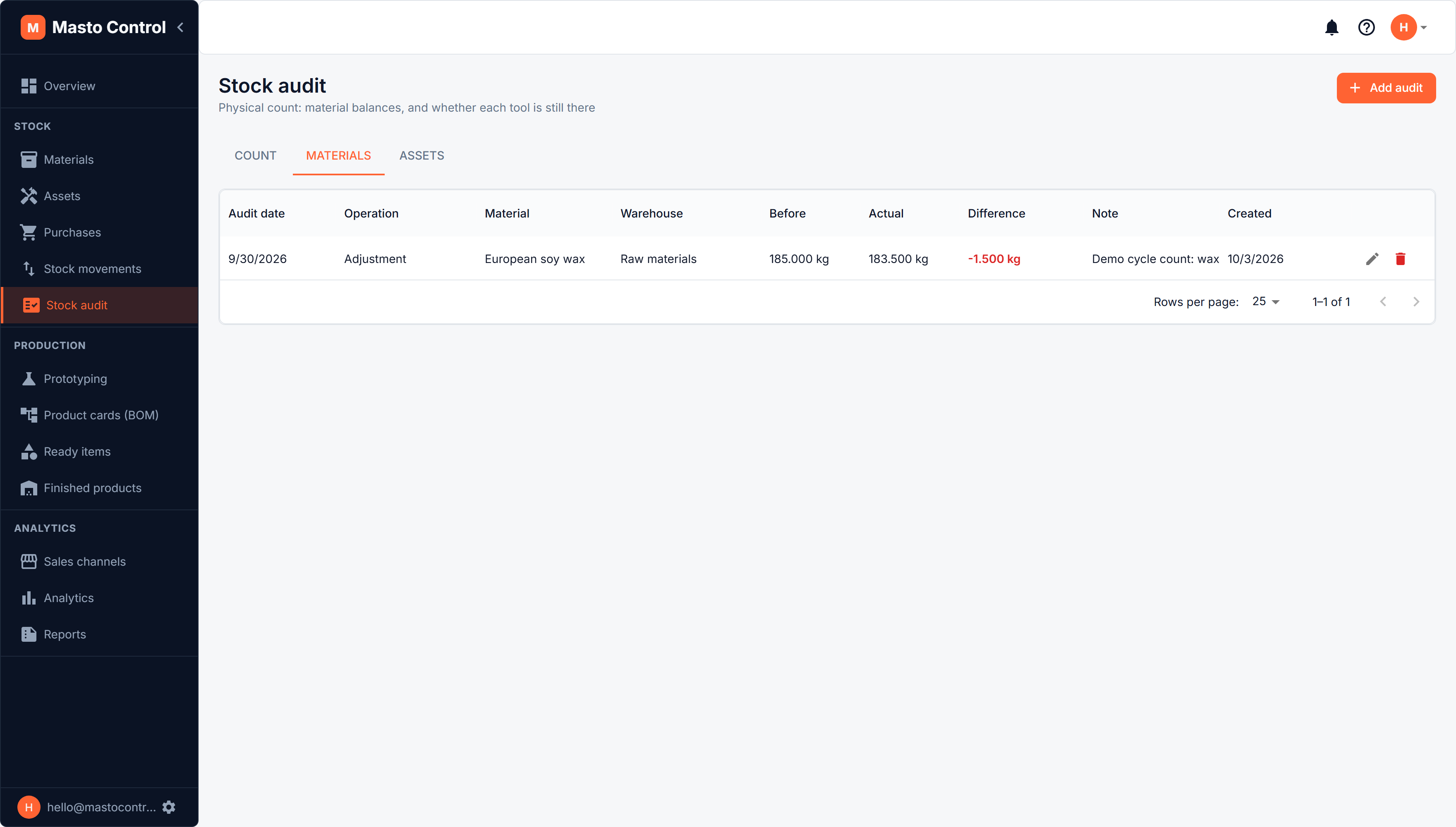
Stock Movements is a read-only ledger of every change to material stock — purchases, reservations into production, consumption, returns from rework, manual audit adjustments, and transfers between warehouses. Each row shows the type of movement, the change, and the stock level before and after.
Use it to answer "why is this material's stock what it is" without reconstructing the history from purchases and production records separately.
Inventory audit (stock count)
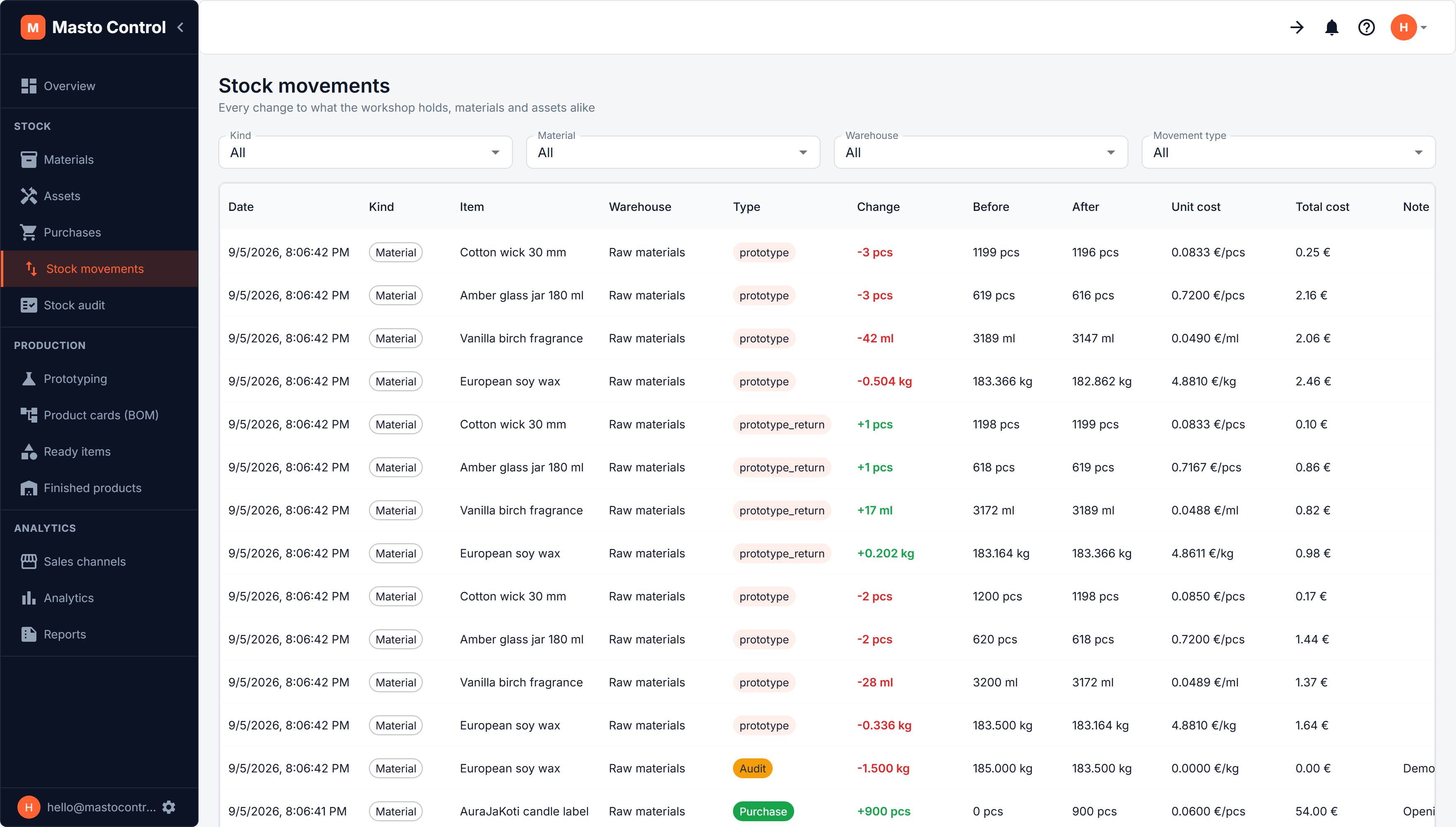
Stock Audit is where you reconcile the system's stock numbers against what you physically counted. It has three tabs: Count, Materials (the history of audit rows, described below) and Assets (checking that each tool is still there, see Tools and equipment).
Count
The Count tab is the quick way to do a whole shelf, and the one a phone opens on (see Using Masto Control on a phone). Choose a warehouse, and every material held in it is listed with the quantity the system expects. Type the quantity you counted under the ones that differ, and press Save count. Only the rows you changed are saved, each as an adjustment dated today, the same as one entered on the Materials tab. A Tools switch on the same tab counts tools instead: mark each as Found or Missing.
Adding a single audit row
The Materials tab lists every audit row and lets you enter one by hand. It supports two operations:
- Adjustment — enter the actual quantity counted for a material in a warehouse on a given date. Masto Control calculates the difference and adjusts stock to match, recording it as a stock movement.
- Transfer — move a quantity of a material from one warehouse to another. The source and target warehouses must be different.
Every audit row records the quantity before and after, plus the difference, so discrepancies stay auditable. Deleting an audit row reverses its stock adjustment.