BOM cards (bills of materials)
A BOM card is the recipe for something you make — what materials and/or components go into it, in what quantity, and what it costs. Find them under BOM Cards.
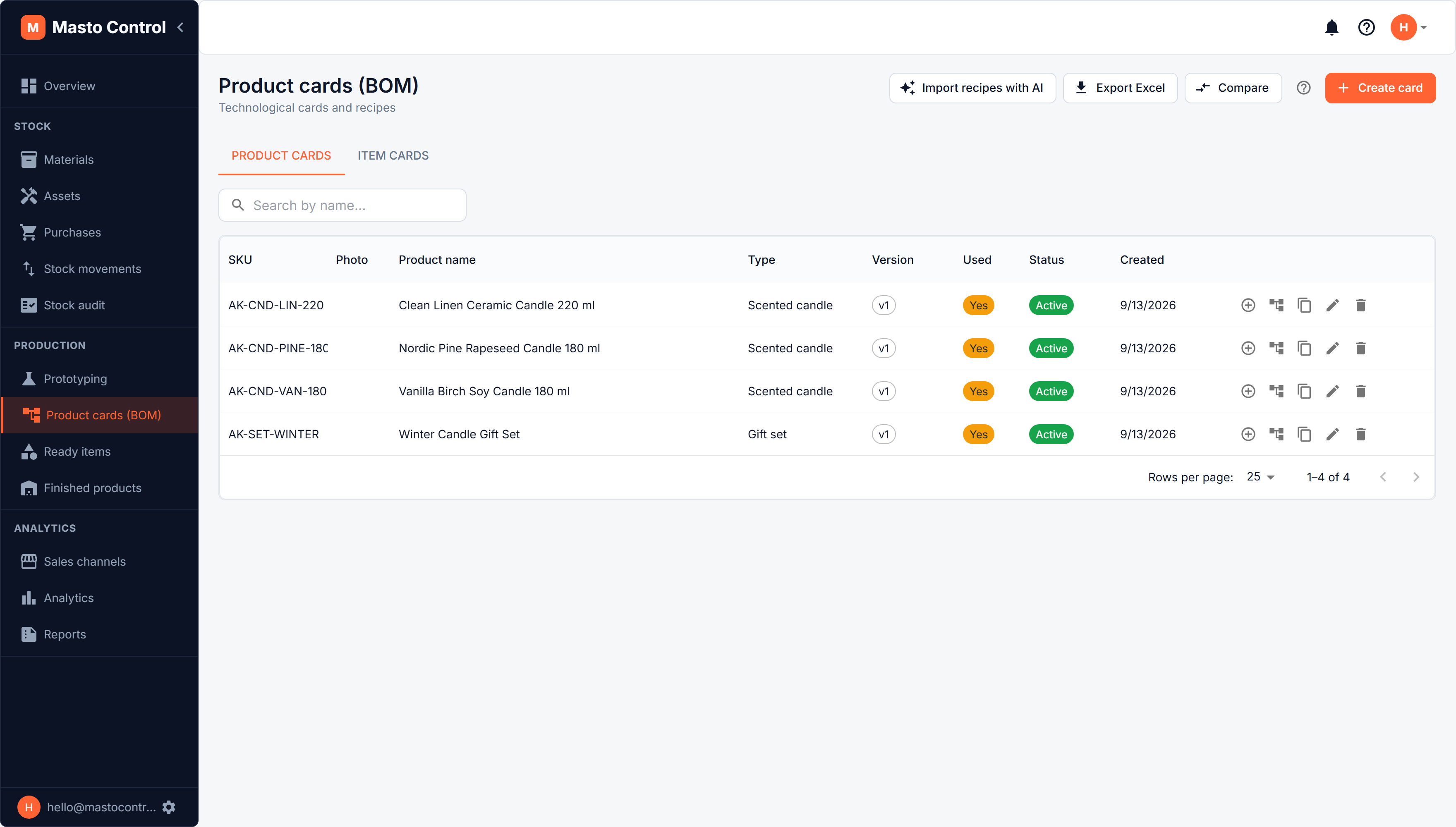
Product cards vs. item cards
- A product card is a sellable finished good.
- An item card is a component or semi-finished part used inside other cards (mark a card as a component with the "is item" toggle).
A product's composition can reference both materials and other item cards, so multi-level BOMs (a product made of components, each made of materials) are supported.
Composition
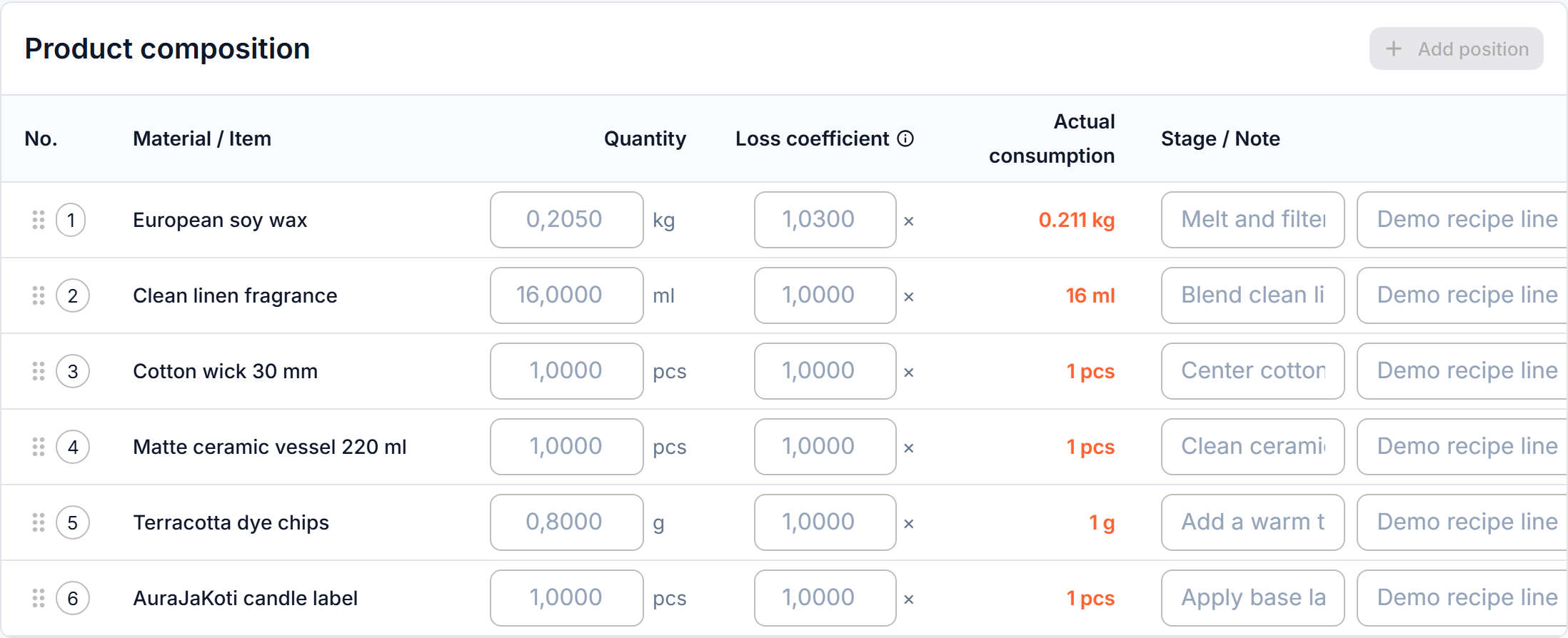
Each composition line has:
- A material or a component item
- Quantity needed per unit produced
- A loss coefficient (1.0 = no loss; higher values account for technological waste, e.g. trimming or shrinkage)
- An optional manufacturing step label (e.g. "cutting", "sewing", "finishing")
Versions
BOM cards are versioned. Once a version has been used in actual production, its composition and key fields lock — create a new version instead of editing it, so historical production records keep referencing the recipe that was actually used at the time. You can compare any two versions side by side to see exactly what changed (materials, quantities, prices, margin).
Renaming a card
The name is the exception: you can rename a card that has already been used. The new name is applied to every version of the card and shows everywhere in the system: finished products, planning, lists and reports. Sales orders and invoices that were already posted keep the name the product had when it was sold. A card cannot be given the name of another current card of the same kind. The SKU stays locked on a used card, like the composition.
If the card is listed on Etsy or Shopify, the new name becomes the listing title the next time the listing is published or updated from Masto Control.
Costing
- Labor — minutes of work per unit, priced from an hourly rate (see below)
- Other expenses — fixed monetary costs per unit, or a percentage of cost / of final price (e.g. studio overhead, marketplace fees)
- Postal materials — shipping/packaging materials per sales channel, pulled from material stock but kept separate from the product's own composition
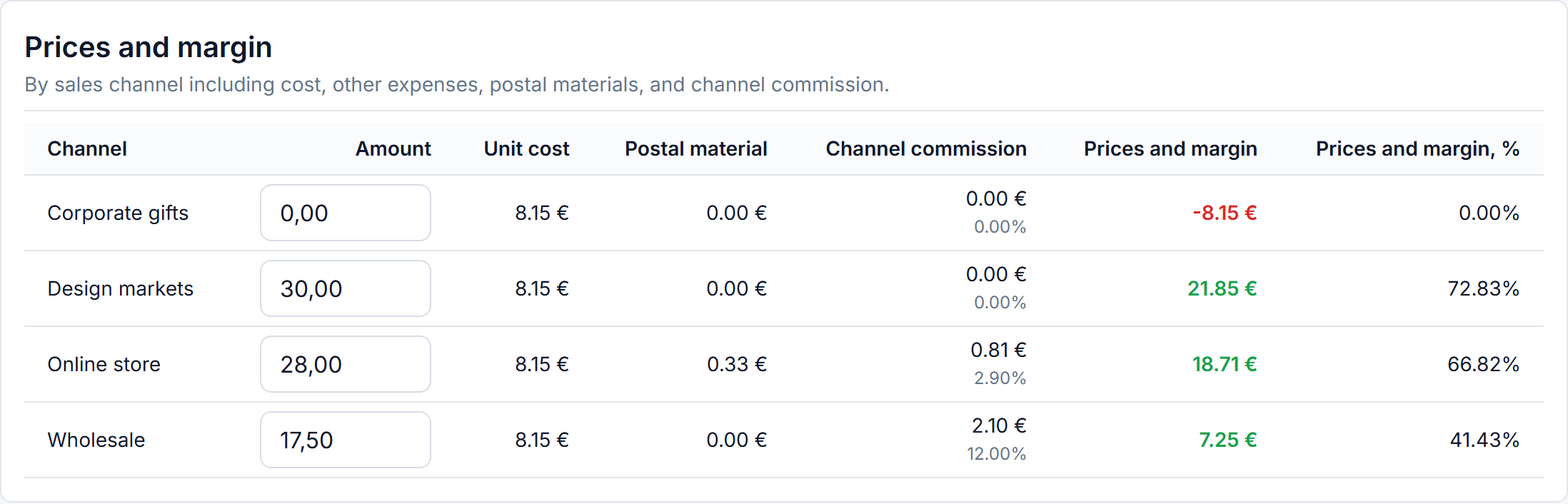
- Prices & margin — per sales channel, showing cost + labor + other expenses + postal materials + channel commission, so you see real margin per channel, not just list price
- Material requirements — click Calculate to see exactly how much of each material is needed per unit, losses included
Labor by the hour
Labor is costed from time, in two pieces:
- A labor rate — a role or an operation and what one hour of it costs, kept in Profile → Dictionaries → Labor rates (admin only). For example "Chandler — €18.00 per hour".
- A labor line on the card — pick the rate, optionally name the operation ("Pour and cure"), and enter the minutes it takes per one unit.
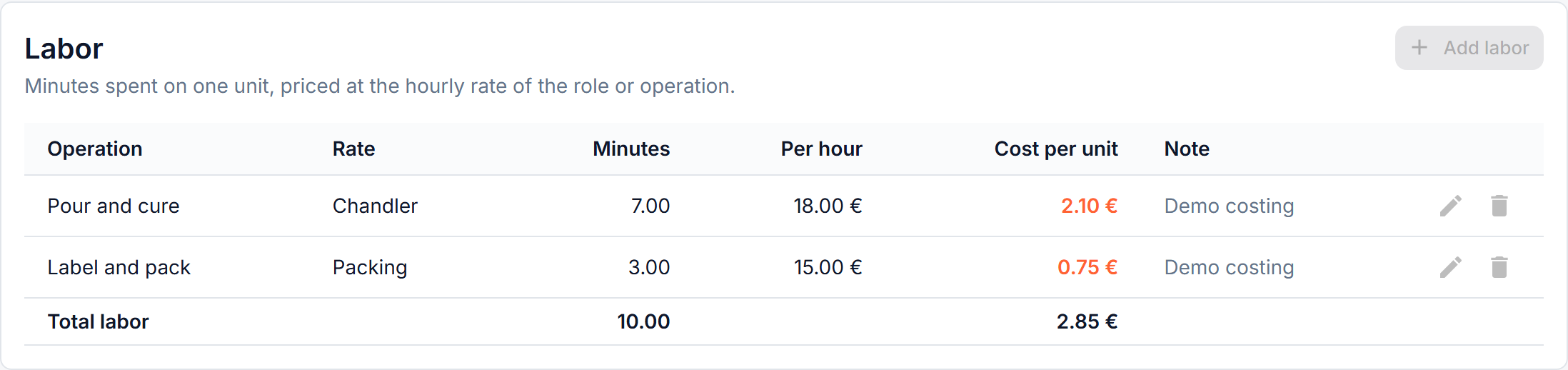
The card multiplies the two out — minutes ÷ 60 × hourly rate — and adds the result to unit cost. From there it reaches Prices & margin, the cost recorded for every production run and the reports, with nothing else to fill in. Raise a rate and every card that spends it is repriced.
The same rate can be spent on several operations of one card, which is what the operation name is for; a rate and an operation together can only appear once per card. Leave the operation empty and the line is simply named after the rate.
Nothing times the work for you. The minutes are your own estimate of how long an operation takes — there is no timer and no per-worker time log.
Composition diagram
The Diagram button on the card page - and the diagram icon in the row actions on BOM Cards, Ready Items and Finished Goods - opens the whole recipe as a picture: materials on the left, the items they build in the middle, the finished product on the right, and packaging per sales channel in a band below.
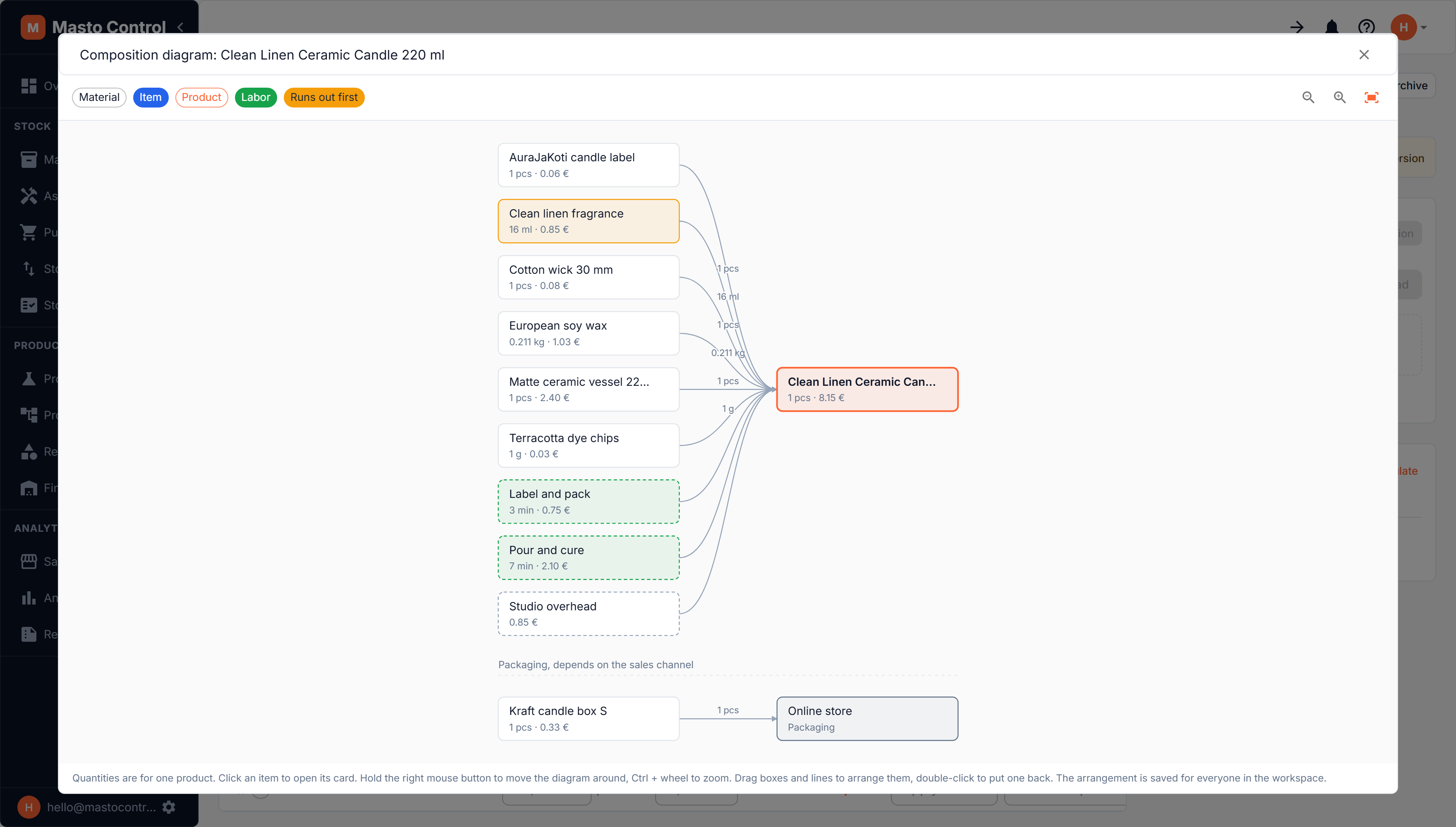
- Everything is per one unit. Each box shows the quantity and the cost that goes into a single product, so the diagram and the card's cost tell the same story. Labor appears as its own box with the minutes it takes and what they cost; other expenses such as overhead appear as boxes without a quantity.
- The material that runs out first is highlighted in orange. Hover any material to see how much is available and how many products that covers - that is the one limiting your next batch.
- Click an item or product box to open its card. Hovering an item also shows which version of it this recipe uses, and warns you when that is no longer the current version.
- Navigation. Hold the right mouse button to move the diagram around, Ctrl + wheel to zoom, or use the zoom / fit buttons in the top right.
- Arrange it. Drag boxes and connecting lines to lay the diagram out the way you think about the product, and double-click one to put it back. The arrangement is saved per product for the whole workspace, so everyone sees the same picture. Viewing and arranging are separate permissions, so a role can be allowed to look without being able to rearrange.
If the card's cost differs from the sum in the diagram, the diagram says so: it adds up material costs down the whole chain, while the card prices a component that is already in stock from its own production batches.
Descriptions & photos
Each product card can have a description and multiple photos, with one marked as primary. These feed the product cards your team sees in the app and are also what gets synced to Shopify if Shopify sync is enabled for product data and photos.
Import/export
BOM cards (both product and item cards) can be exported to Excel for offline review.
To bring many product cards in at once, use Import recipes with AI: it reads recipes from notes, a spreadsheet of your own layout or a photo of a page, and proposes the product cards, with the amount of each material worked out for one product. Item cards are created one by one, from the Item cards tab.