Finished goods & ready items
Once a BOM card is ready, Finished Goods (for product cards) and Ready Items (for component cards) is where you record what you actually made, sell it, or rework it. Both modules work the same way — the difference is just whether the card is marked as a product or an item.
SKU and lots
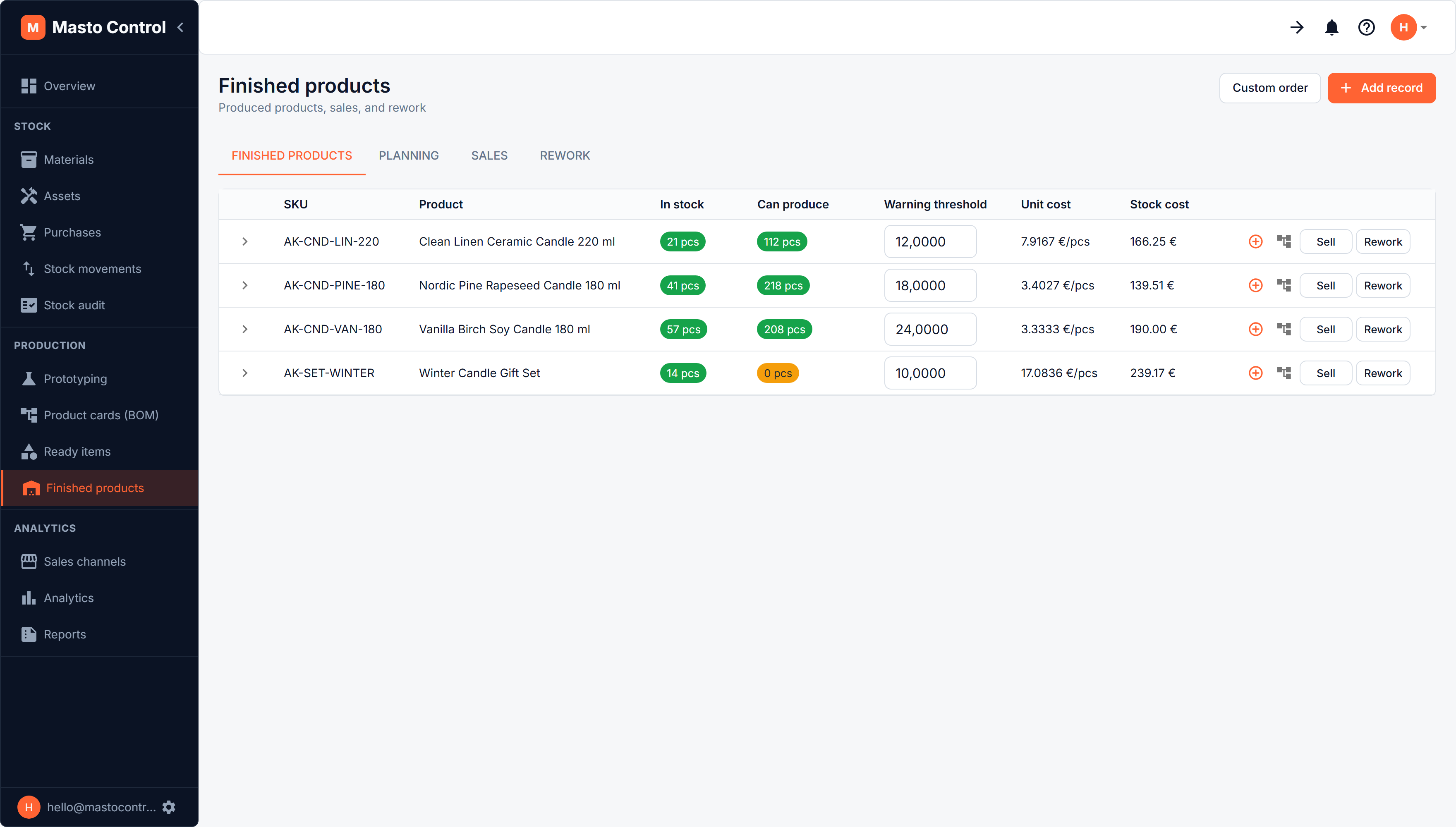
SKU is the first column on both tabs. Expand a row to see its lots inline — each production run is its own lot, with its own cost and quantity. A per-lot menu (kebab icon) gives you Edit / Move / Sell / Rework targeting that specific lot, instead of only the whole product.
Recording production
Creating a production record reserves the required materials (and any sub-components) from a chosen warehouse and registers the produced quantity, with a production date and optional expiry date.
There is a + button on every row: if you have already found the product in the list, start its production record from there rather than picking it out of a dropdown again.
If there isn't enough of a required material or component available, Masto Control shows exactly which resource is short and by how much before you confirm — including stock sitting on other BOM versions of the same product, in case there's usable stock you forgot about.
Each production run becomes its own batch (lot), with its own cost, so finished-good costing stays as accurate as material costing.
Stock numbers
Same shape as materials: in stock, in products (reserved against pending sales or further production), available, and can produce (how many more units current material stock would support).
A warning threshold can be set per product/item — when available stock drops below it, it's flagged for attention.
Selling
Selling a batch deducts it from stock and links the sale to a sales channel - every sale needs one, because the channel is what prices the line, takes the packaging and carries the fees. The price is prefilled from the channel's price list; what the buyer paid for delivery, what you paid for postage and a note are optional. Sales feed directly into analytics.
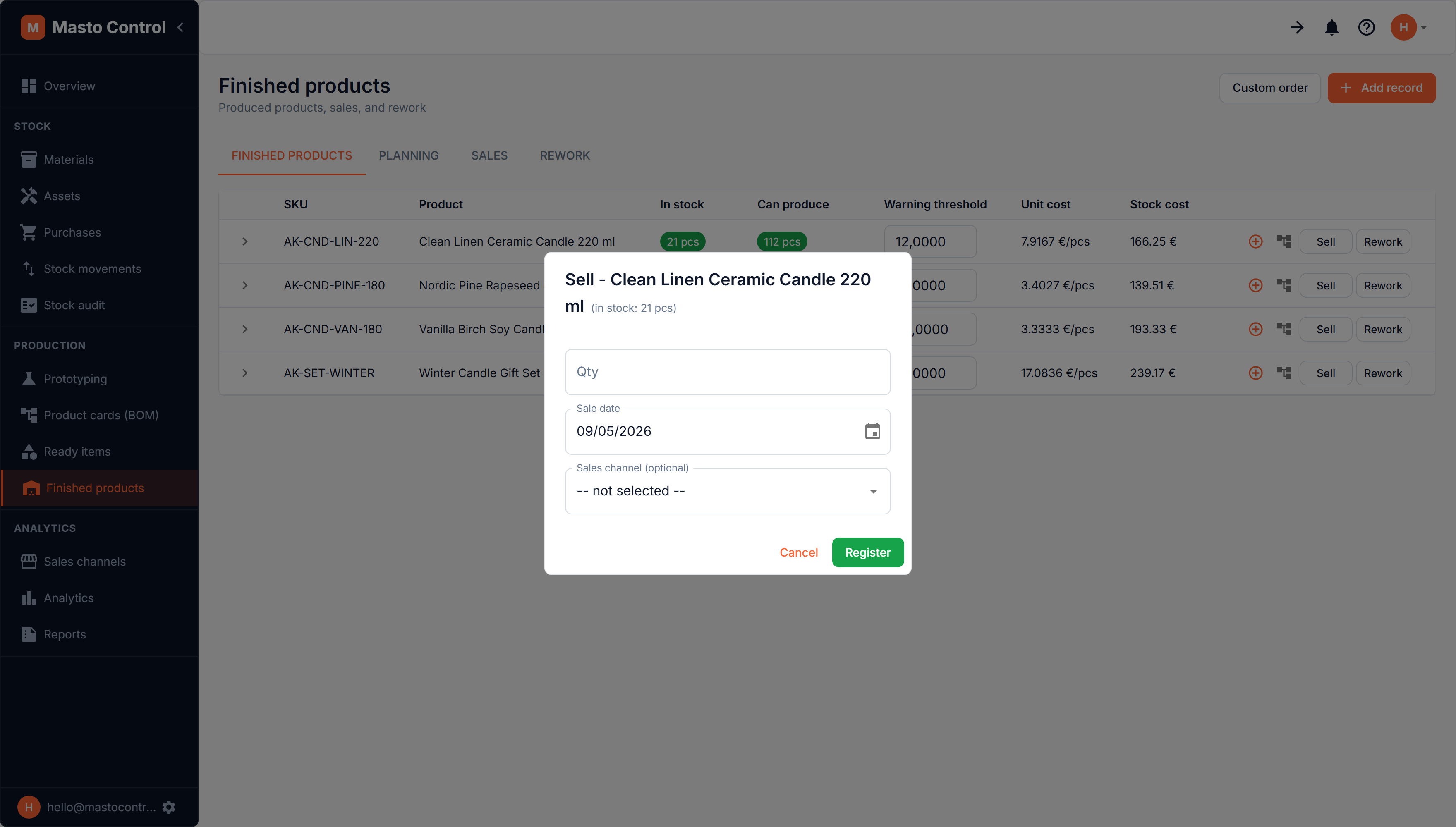
A quick sale is posted as a one-line sales order and gets the next order number. Open it on the Sales tab to add a customer, check the channel's fees or mark it paid. For an order with several products, a discount or an invoice to a named customer, use New order on the Sales tab instead.
Custom-made work
Sometimes a customer asks for something you do not make: a wedding set, a corporate gift box, a one-off in a colour you have never poured. It still has to be costed and it still has to come out of stock, but it does not belong in your catalogue.
That is a custom-made line on a sales order: open New order on the Sales tab, set a line's type to Custom-made, and describe what is being made - materials and ready items, labour, other expenses. The line is produced when the order is posted, at its real FIFO cost, and sold in the same step. Catalogue products go on the same order as ordinary lines, so a gift box with two of your regular candles in it is one paper with one number and one parcel.
Cancelling a sale
On the Sales tab, any posted order has a Void button. Voiding always removes the revenue from analytics and reports, and reverses the whole order - the products in it went out in one parcel with one lot of packaging, so they come back together. What you choose in the dialog is whether the goods come back:
- The goods came back — the order was cancelled before shipping, or the item was returned in sellable condition. The product goes back into its production batch, and the materials and packaging it consumed go back into stock and back under reservation.
- The goods did not come back — the buyer was refunded but kept the item, or it came back damaged or lost. Only the revenue is reversed; nothing returns to stock.
Returned materials are put back into the purchase lots they were taken from, so cost of goods and margins stay correct. The voided order stays in the list with its number and reason, so the history is never lost — which is also why a posted order can't simply be deleted. Only a draft can.
When an order is cancelled on Etsy before you marked it shipped, Masto Control does this for you and tells you it did — the goods never left, so nothing needs deciding. Once an order has shipped, it notifies you to make the call here instead.
Rework
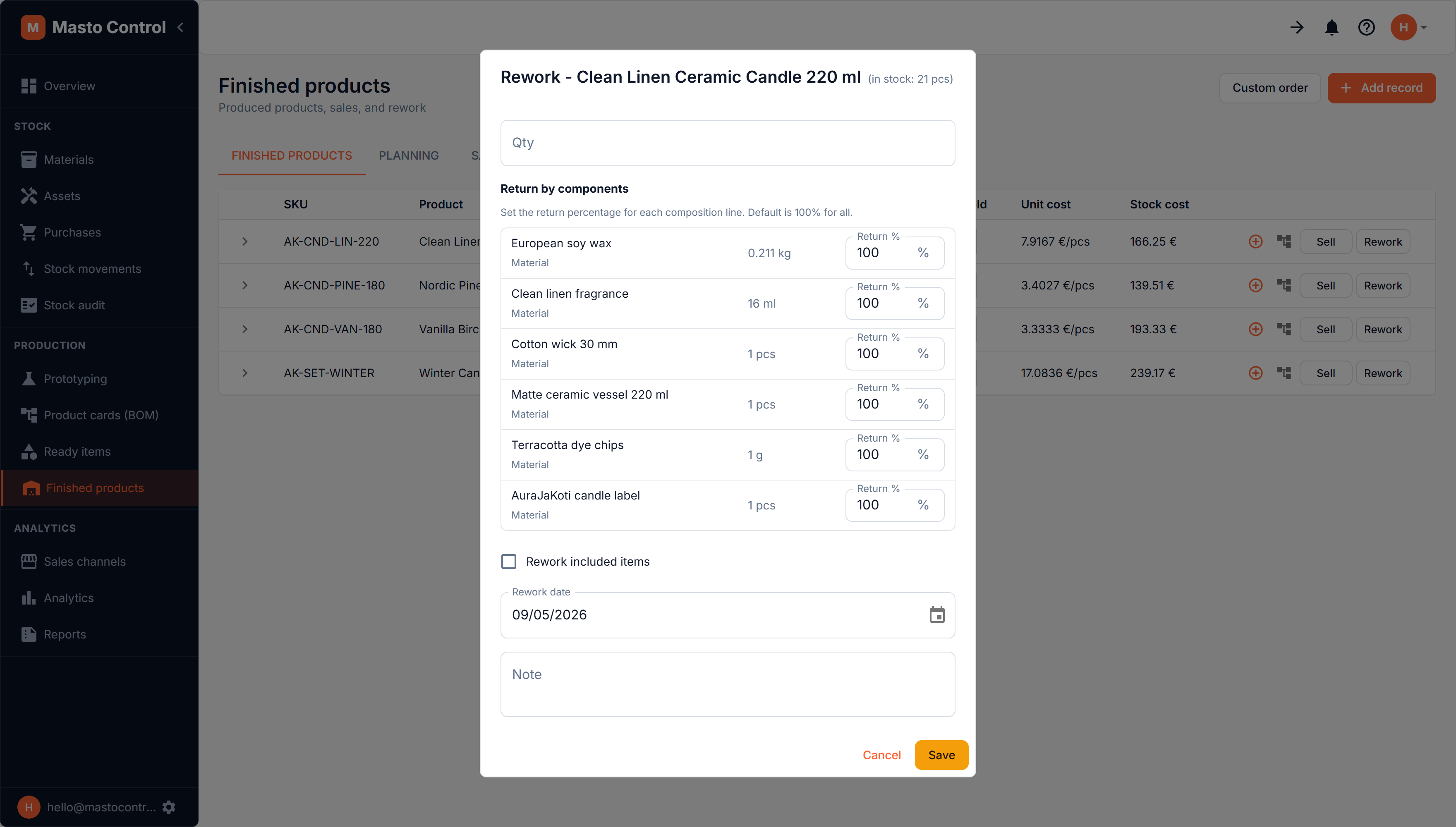
If a batch needs to be unmade — defects, a cancelled order, returned stock — Rework lets you return it by component: set a return percentage per composition line (100% by default for all lines) to control how much of each underlying material/component comes back into stock versus is written off as loss.
Production planning
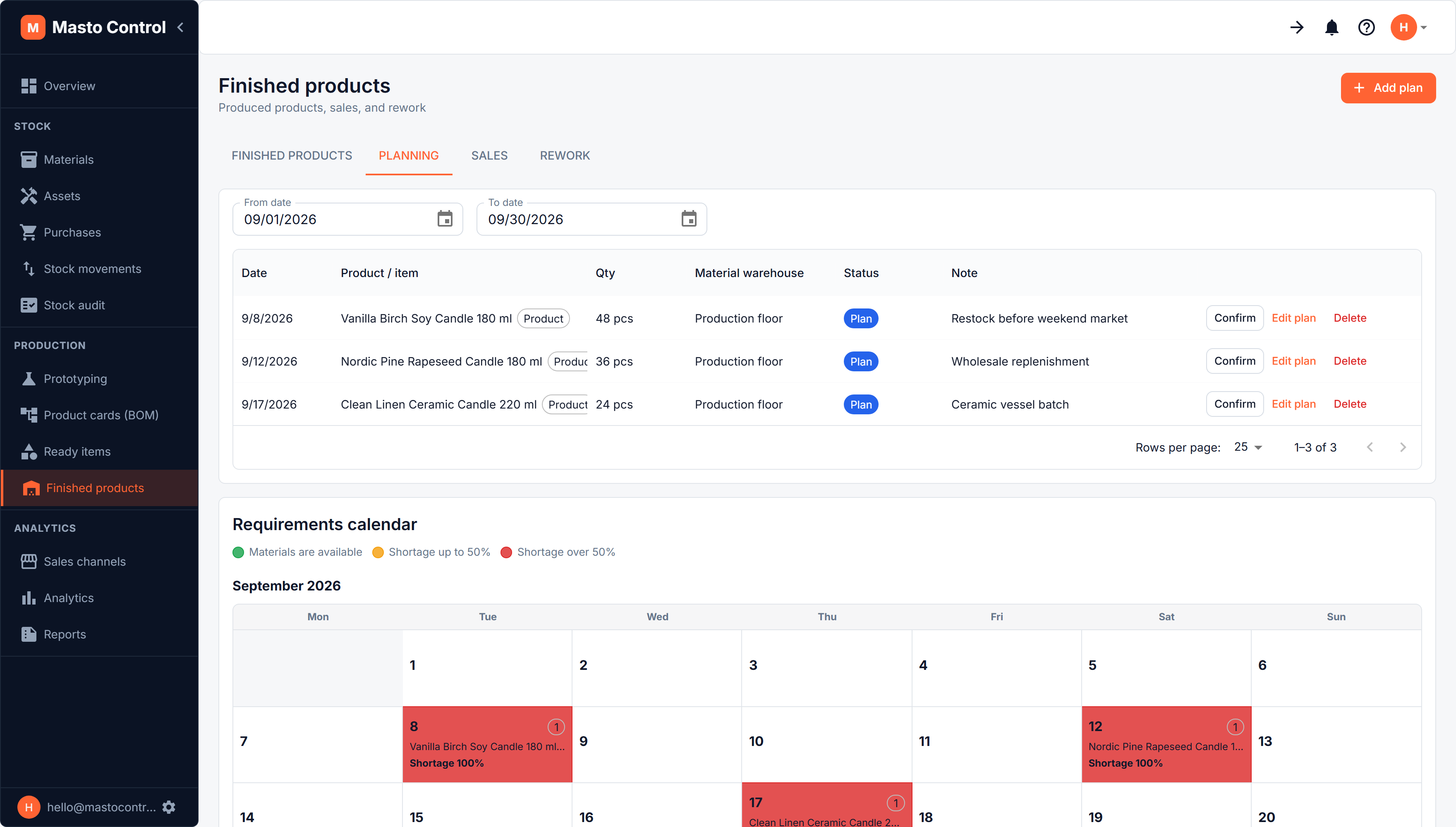
The Planning tab is a calendar of upcoming production plans. For any date, it shows the materials and components required across everything planned, flags shortages (up to 50% short / over 50% short), and lets you drill into the exact resource shortfall before you commit a plan to actual production.