Sales channels
A sales channel represents one place you sell — a marketplace, your own online store, an offline location, social media, or direct sales. Every sale in Masto Control is registered against a channel, which is what keeps per-channel reporting clean.
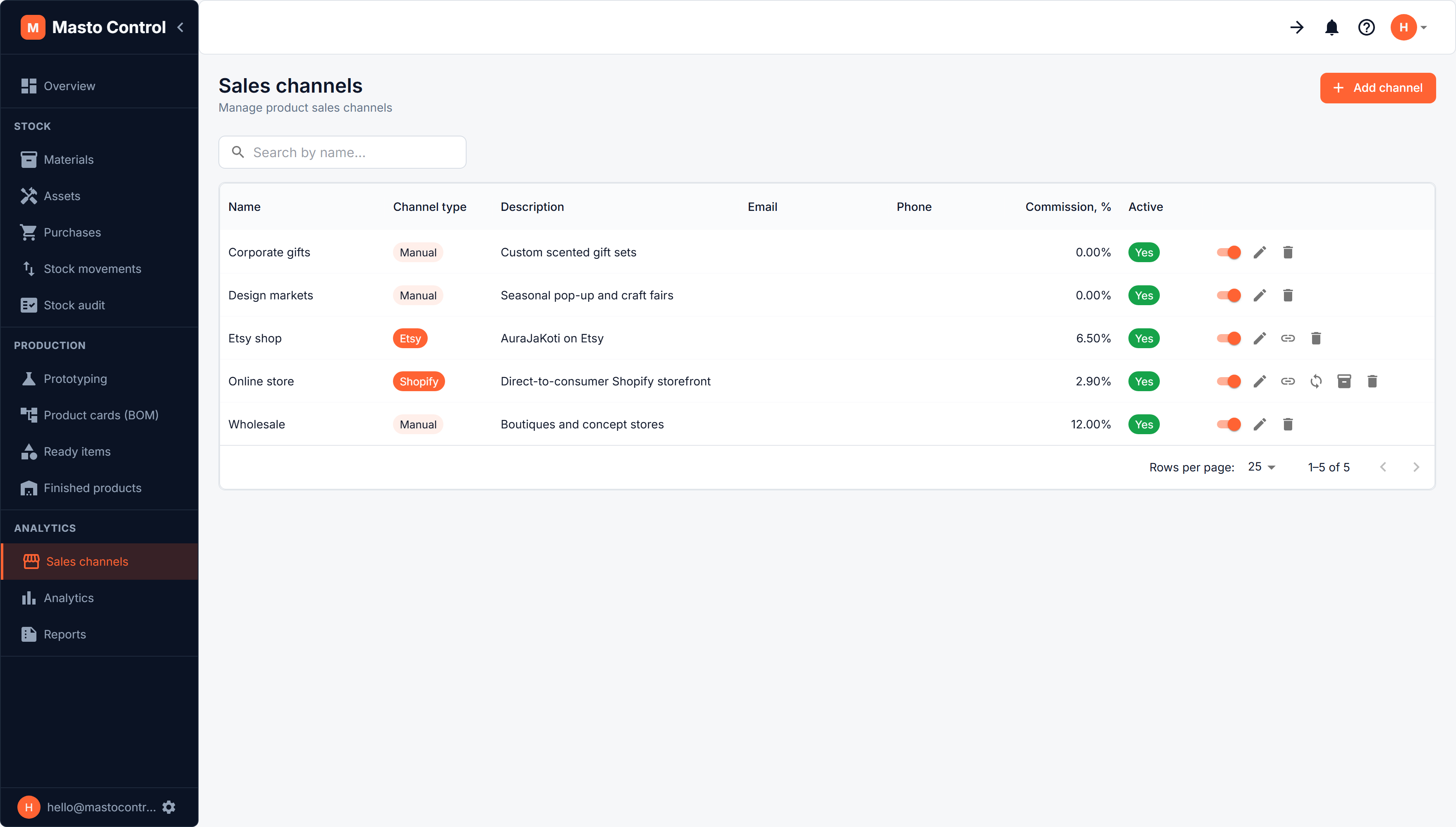
Creating a channel
A channel has:
- Name and type — manual, a link/URL, a site, or a connected integration (Etsy)
- Fees — what the channel takes from every order (see below)
- Order defaults — a default customer, a default VAT rate, and whether the marketplace collects and remits sales tax itself
- Active/inactive status — deactivating a channel keeps its historical sales data but stops new sales from being registered against it
Fees
A marketplace charges several things at once, so a channel carries a fee schedule rather than one percentage. Each rule is one of:
| Rule | Typical use |
|---|---|
| % of items | a commission on the goods |
| % of items and shipping | Etsy transaction fee (6.5 %) |
| % of order total | a regulatory fee |
| % of order total + fixed per order | Etsy Payments (4 % + 0.30), Shopify Payments (2.9 % + 0.30) |
| Fixed amount per order | a flat charge per parcel |
| Fixed amount per unit sold | Etsy listing fee (0.20 per item) |
A rule marked optional is charged only when ticked on the order - Etsy Offsite Ads, which apply to some orders and not others. When a sales order is saved, the schedule is applied to that order's own amounts and the result is kept on the order, so changing a rule later never rewrites an earlier order's margin. The percentage rules add up to the commission the BOM card uses for its per-channel margin.
Order defaults
A default customer stands in for a marketplace in the books: the money comes from Etsy, not from the person who bought the candle. The default VAT rate seeds new orders through the channel; leave it empty to use the workspace setting. The marketplace collects and remits sales tax is for US-style channels, where the tax on an order never reaches your payout.
What happens when a sale is registered
Every sale is a sales order. Posting it against a channel:
- Deducts the sold quantity from finished-goods stock, and the packaging configured for that channel
- Records which channel it came from, and the channel's fees as they were at the time
- Feeds sales analytics and the reports — both overall and broken down per channel
For a connected channel that syncs listings, stock and orders on its own, see Etsy.