Users & roles
Users
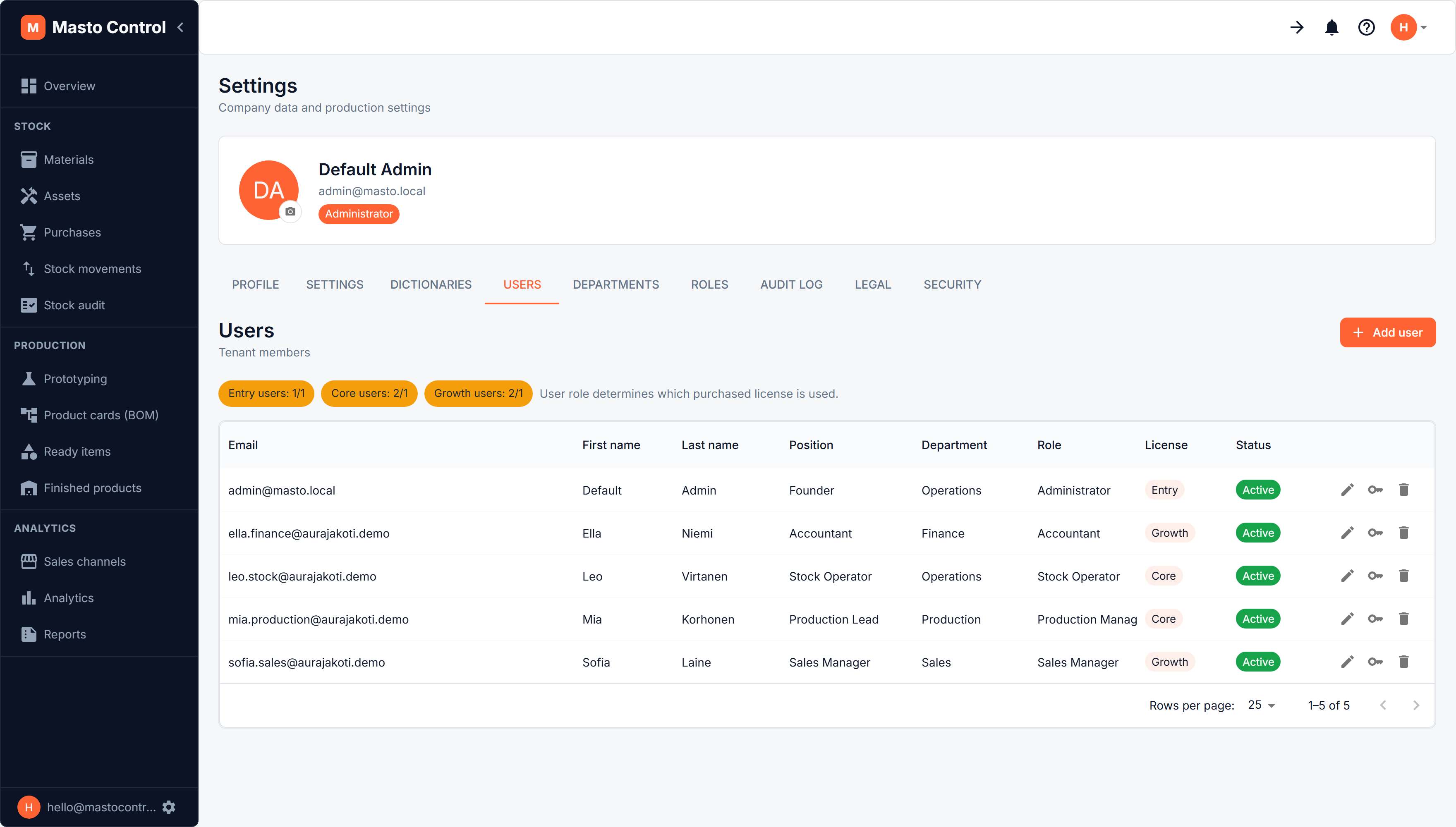
Under Profile → Users (the gear next to your name), Admins can add team members with a first name, last name, email, position, department, and role. Users can be marked active or blocked, and an Admin can reset a user's password at any time from their profile.
Roles & permissions
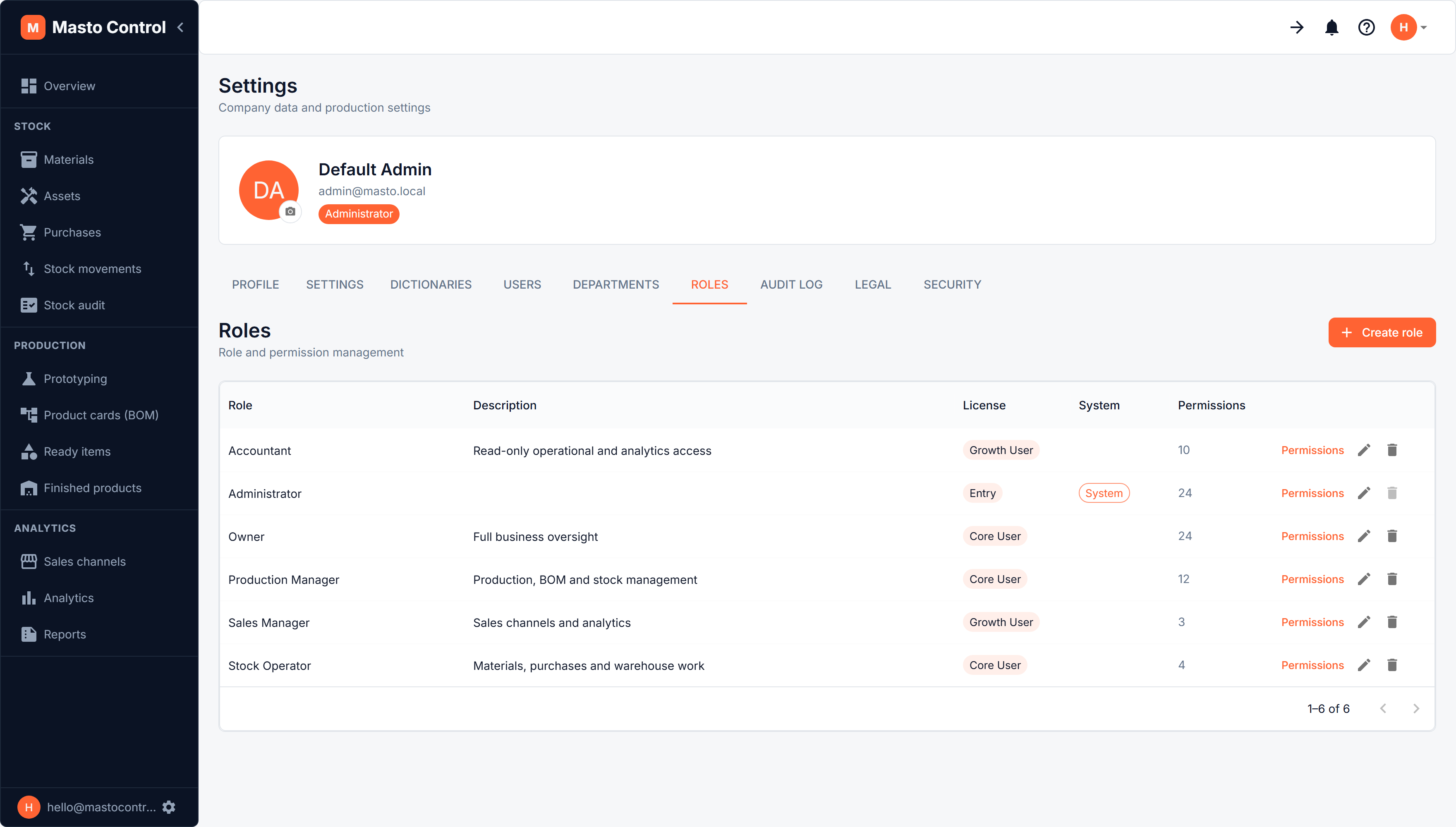
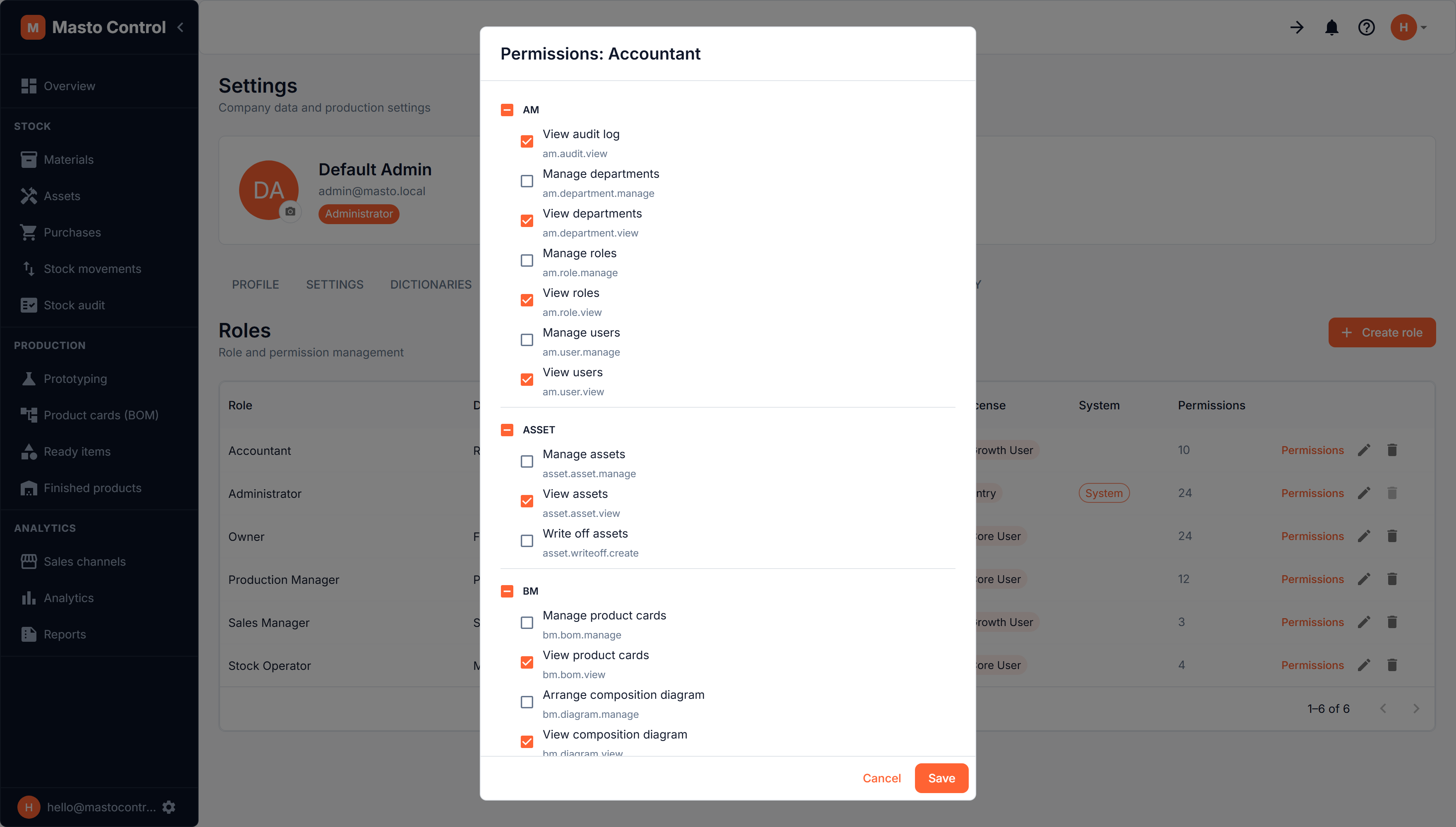
Under Profile → Roles, roles define what a user can see and do. Masto Control ships with system roles, and Admins can create custom roles with their own permission sets — rename them, adjust permissions, or delete a role (users with a deleted role lose that assignment and need a new one).
Permission changes take effect immediately for everyone with that role.
Departments
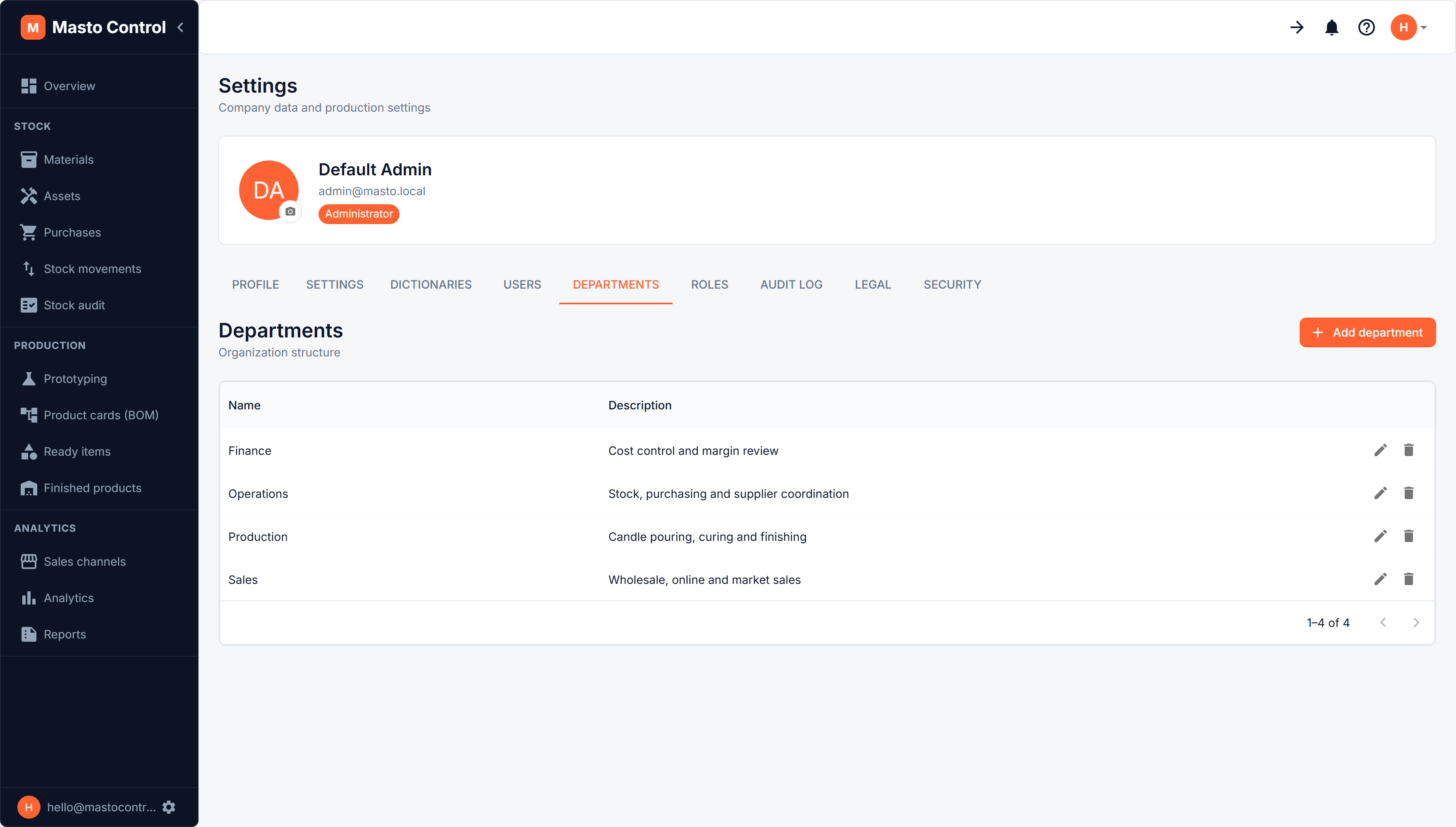
Under Profile → Departments, departments are a lightweight way to group users by team or area of the workshop (e.g. Production, Packing, Sales). They're primarily for organization and reporting — assign a department to a user when creating or editing them.
Recommended setup order
If you're setting this up from scratch, the in-app setup guide walks through it in the order that avoids redoing work: Roles → Departments → Users — so by the time you create a user, the role and department you want to assign already exist.